You’ve just spent £200 on a laser rangefinder, pressed the button on the 7th tee, and got back three different numbers you don’t understand. There’s a little flag icon, something that says “slope,” and the unit vibrated in your hand for no obvious reason. The bloke you’re playing with is already on the fairway, so you pick a club based on gut feeling and chunk it into the bunker. Sound familiar?
In This Article
- What a Golf Rangefinder Actually Measures
- How to Read the Basic Distance Display
- Understanding Slope Mode
- When Slope Helps and When It Lies
- Pin Lock Technology Explained
- How to Use Pin Lock Properly
- What Jolt Vibration Means
- Reading Your Display: Putting It All Together
- Slope vs Non-Slope: Which Should You Buy?
- Rangefinder vs GPS Watch: Do You Need Both?
- Common Mistakes When Reading a Rangefinder
- Best Rangefinders for UK Golfers in 2026
- Frequently Asked Questions
What a Golf Rangefinder Actually Measures
A laser rangefinder fires an invisible beam at your target and measures how long that beam takes to bounce back. The speed of light is constant, so the time delay gives you a precise distance — typically accurate to within half a yard. That’s far more precise than pacing it out or squinting at the 150-yard marker post.
Line-of-Sight vs Actual Playing Distance
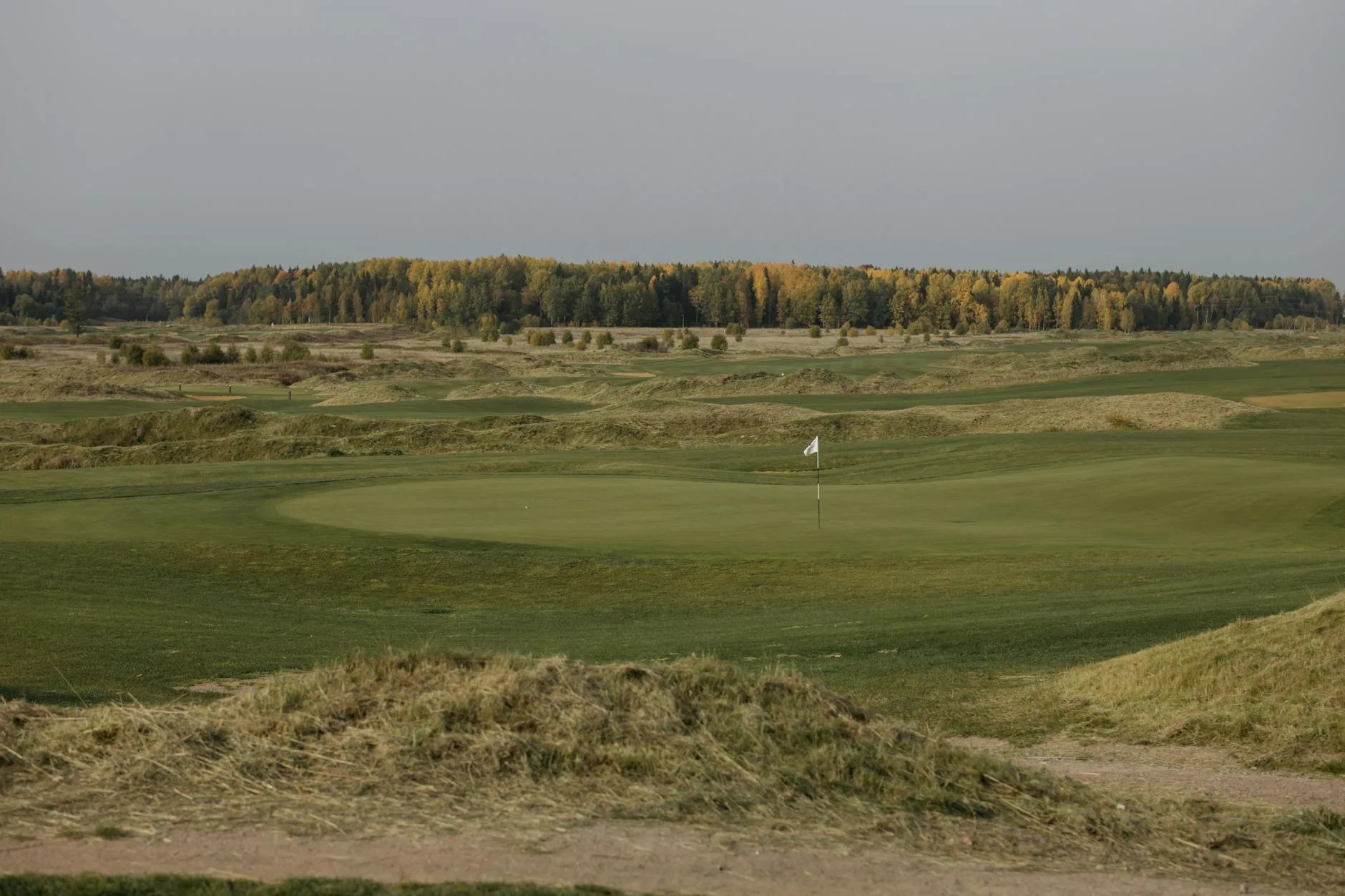
Here’s where most people get confused on day one. Your rangefinder measures the straight-line distance from you to the flag. It doesn’t account for the fact that the green might be 15 metres above you on a hillside par 3, or that there’s a valley between you and the pin. The number on the screen is the geometric distance, not the distance the ball needs to travel through the air. That’s where slope mode comes in — but we’ll get to that.
What the Numbers Mean
Most rangefinders display distance in yards by default in the UK, though you can switch to metres in the settings. When you see “147” on the screen, that’s 147 yards to whatever you were pointing at. Simple enough. The confusion starts when your display shows additional numbers, icons, and modes alongside that main reading.
How to Read the Basic Distance Display
When you press the fire button and aim at the flag, you’ll see a primary number appear — that’s your distance. On most models, this updates continuously while you hold the button, scanning across the landscape as you move the viewfinder.
Continuous Scan Mode
Hold the button down and sweep across the course. You’ll see the numbers changing rapidly as the laser picks up different targets — trees, bunkers, the greenside mound, and eventually the flag. This is useful for getting a sense of the layout, but it’s not how you want to get your final yardage. For that, you need to lock onto the pin specifically.
Single-Fire Mode
A quick press and release fires one pulse. The rangefinder returns the distance to whatever the beam hit first. On a clear day with nothing between you and the flag, this works perfectly. In practice, branches, rain, or even thick rough can intercept the beam. If your reading seems suspiciously short, you’ve probably hit something in the foreground.
I’ve had readings come back at 47 yards when the pin was 160 out — turns out I was measuring a leaf on an overhanging branch. Took me three attempts before I realised what was happening.
Understanding Slope Mode
Slope mode is the feature that justifies the price jump from a £100 rangefinder to a £250+ model. It takes the straight-line distance and adjusts it based on the elevation change between you and the target, giving you a “plays like” distance.
How Slope Calculation Works
The rangefinder contains an inclinometer — essentially a spirit level sensor — that measures the angle between you and the target. Combined with the laser distance, it uses trigonometry to calculate the effective playing distance.
If you’re hitting uphill, the ball needs to travel further through the air to cover the same horizontal distance. A 150-yard shot to a green that’s 10 metres above you might play like 162 yards. Conversely, a downhill shot plays shorter because gravity does some of the work.
Reading Slope-Adjusted Numbers
On most rangefinders, slope mode shows two numbers:
- Actual distance — the raw laser measurement (e.g., 150 yards)
- Adjusted distance — what the shot plays like after slope compensation (e.g., 162 yards)
Some models show the adjusted number in a different colour or with a small arrow indicator. Bushnell uses a red display for slope-adjusted readings. Precision Pro shows the adjusted number with an up or down arrow. Check your manual for how your specific model presents this — it varies between brands.
The R&A Rules on Slope
Here’s something that catches a lot of club golfers off guard. The R&A guidance on distance-measuring devices permit distance-measuring devices under Rule 4.3, but your local competition committee can allow or restrict specific features. Slope measurement is the big one.
Most club competitions in the UK allow basic rangefinders but prohibit slope. If your model has slope and you’re playing in a medal, you need to either switch it off or use a model with a physical slope-disable feature. Some Bushnell models have a faceplate that physically covers the slope function and shows a visual indicator on the body — tournament organisers can see at a glance that slope is disabled.
When Slope Helps and When It Lies
Slope mode is brilliant in the right circumstances, but it’s not magic. Understanding its limitations will save you from some truly baffling club selections.
Where Slope Mode Shines
Courses with dramatic elevation changes are where slope earns its money. If you play anywhere in the Peak District, Wales, Scotland, or even somewhere like Wentworth with its rolling Surrey hills, the difference between actual and adjusted distance can be 10-20 yards on some holes. That’s a full club difference.
I played Kingsbarns last year and the slope readings on the clifftop holes were genuinely eye-opening — shots I’d have played with a 7-iron based on raw distance actually needed a 5-iron because of the elevation change. Without slope, I’d have been 20 yards short every time. For a related angle, see our What Clubs Should a Beginner Carry? guide.
Where Slope Gets It Wrong
Slope compensation assumes you’re hitting the ball on a standard trajectory. It doesn’t account for wind, temperature, altitude, lie quality, or whether you’re shanking everything right because of that dodgy hip. On a windy links course, the slope adjustment is often less relevant than whatever the North Sea gale is doing to your ball flight.
Slope also struggles with partial elevation changes — if the first half of the shot is uphill and the second half is downhill, the net elevation change might be small, but the ball still needs to negotiate both. The rangefinder only sees the start point and the end point.
Pin Lock Technology Explained
Pin lock (called PinSeeker by Bushnell, Flag Lock by Precision Pro, and various other names depending on the manufacturer) solves a specific problem: when there’s stuff behind the flag that’s confusing the laser.
The Background Object Problem
Imagine you’re 145 yards from the pin, and there’s a row of trees 170 yards away directly behind the green. You fire your rangefinder, and it returns 170. You’ve just measured the trees, not the flag. The flag is a thin stick with a tiny cloth on top — it’s a hard target for a laser to hit consistently, especially at distance or in windy conditions when the flag is moving.
How Pin Lock Works
Pin lock technology uses an algorithm that prioritises the closest object in a cluster of returns. When the laser beam sweeps across the pin area, it picks up multiple distances — the flag, the trees behind, maybe a bunker rake. Pin lock identifies the nearest return that’s likely to be the flag and locks onto it, ignoring the background clutter.
When pin lock activates, your rangefinder gives you a confirmation signal. On most models, this is a combination of:
- A circle or crosshair icon appearing around the flag on the display
- A vibration pulse (jolt — more on this below)
- A locked distance reading that stops fluctuating
First Target Priority vs Pin Lock
Some budget rangefinders advertise “first target priority” instead of true pin lock. They’re related but not identical. First target priority simply returns the nearest distance reading. Pin lock is more sophisticated — it uses algorithms to distinguish between a flagstick and other close objects like greenside bunker walls or OB stakes, giving more reliable results in complex scenarios.
For most weekend golfers, first target priority works well enough. If you’re playing competition golf regularly or courses with lots of background clutter, proper pin lock is worth the upgrade.
How to Use Pin Lock Properly
Knowing what pin lock does is one thing. Using it well is another. There’s a bit of technique involved.
Steady Hand Technique
The single biggest factor in getting reliable pin lock readings is holding the rangefinder steady. Resting your elbow against your body, using both hands, and bracing against your golf bag all help. Some golfers lean the rangefinder against a tree or the cart to stabilise it.
Here’s a method that works well:
- Raise the rangefinder to your eye with both hands gripping firmly.
- Tuck your elbows tight against your ribcage for stability.
- Find the flag in the viewfinder and centre it.
- Press and hold the fire button for 2-3 seconds rather than a quick tap.
- Wait for the jolt vibration or pin lock icon before reading the distance.
- If you don’t get a lock after 3 seconds, release and try again — you may need to adjust your aim slightly.
Dealing with Tricky Conditions
Rain, fog, and strong wind all make pin lock harder. Rain droplets can scatter the laser beam. Fog reduces the effective range. Wind moves the flag, making it a moving target. In poor conditions, try aiming at the base of the flagstick rather than the flag itself — it’s wider and more stable.
On really bad days, I’ve found aiming at the edge of the green surface nearest to me gives a useful reference point. If I know the pin position from the tee sheet, I can add or subtract a few yards mentally.
What Jolt Vibration Means
Jolt (Bushnell’s term — other brands call it “vibration feedback” or “haptic confirmation”) is a short pulse that the rangefinder sends through the body of the unit when it has successfully locked onto the flag. Think of it like the buzz your phone makes when you press a button.
Why Jolt Matters
Without jolt, you’re relying entirely on the visual display to tell you whether you’ve hit the flag or the trees behind. Jolt gives you a tactile confirmation that bypasses the need to squint at a small LCD screen in bright sunlight. It’s subtle — a quick buzz lasting about half a second — but once you learn to feel for it, you’ll wonder how you managed without it. Our Wedge Bounce and Grind Explained guide is useful alongside this.
Jolt Without Pin Lock
Some budget rangefinders advertise jolt vibration but don’t have true pin lock. In these cases, the jolt fires when the unit detects it has locked onto any close target. It’s still useful — it tells you the reading has stabilised — but it’s less reliable at confirming you’ve specifically hit the flag rather than a nearby object.
When Jolt Doesn’t Fire
If you’re pressing the button and getting a distance reading but no jolt, a few things might be happening:
- You’re hitting background objects — the rangefinder can’t distinguish the flag
- The battery is low — jolt uses extra power and may deactivate before the laser does
- You’re too far away — most rangefinders lose pin lock reliability beyond 250-300 yards
- Vibration is switched off — check your settings, some models allow you to disable it
Reading Your Display: Putting It All Together
Now let’s put all these pieces together. You’re standing on the fairway, you fire your rangefinder at the flag, and the display shows you the following information:
A Typical Display Readout
- Main number (e.g., 156) — straight-line distance in yards
- Slope-adjusted number (e.g., 162) — effective playing distance accounting for elevation
- Pin lock icon — circle or crosshair confirming flag lock
- Jolt pulse — tactile confirmation you felt in your hand
- Mode indicator — shows whether slope is active or disabled
The number you want for club selection is the slope-adjusted distance if slope is active, or the main number if you’re playing in competition mode with slope off.
Building a Routine
The best golfers I play with have a consistent rangefinder routine, the same way they have a pre-shot routine. It takes about 10 seconds and goes like this:
- Pull the rangefinder from its case while approaching your ball.
- Identify the flag location — front, middle, or back of the green.
- Fire at the flag and wait for jolt confirmation.
- Note the slope-adjusted distance (or raw distance if slope is off).
- Factor in wind and conditions mentally.
- Select your club and commit to the number.
The key word there is “commit.” I’ve seen golfers fire the rangefinder three times, get three slightly different numbers, and then stand over the ball unsure which one to trust. Get one solid reading with a jolt confirmation and go with it.
Slope vs Non-Slope: Which Should You Buy?
This is the £100 question — literally, because that’s roughly the price difference between a good non-slope rangefinder and its slope-enabled sibling.
The Case for Slope
If you play mostly casual rounds and want the most useful information possible, slope is worth the extra money. It removes one variable from your club selection and is particularly valuable on hilly courses. Most of the UK’s best courses have meaningful elevation changes.
The Case Against Slope
If you play regular competitions, you need a rangefinder that can verifiably disable slope. Some models do this well (Bushnell’s faceplate system is the gold standard), but others require you to navigate menus under pressure on the first tee. There’s also an argument that learning to judge elevation changes yourself makes you a better golfer — you develop a feel for the course rather than relying on a number.
Our Recommended Picks
- Budget (£80-120): Precision Pro NX10 — no slope, but solid pin lock and jolt for the price. Available at American Golf and Amazon UK.
- Mid-range (£200-280): Bushnell Tour V6 Shift — excellent slope with tournament-legal switch. You’ll find these at most pro shops and American Golf.
- Premium (£350+): Bushnell Pro X3+ — slope, jolt, stabilised optics, magnetic mount. For the golfer who wants the best and doesn’t mind paying for it. John Lewis occasionally stocks these, otherwise direct from Bushnell or specialist golf retailers.
For most UK club golfers, the Bushnell Tour V6 Shift hits the sweet spot. I’ve been using one for two seasons and the slope toggle is dead simple — flip the faceplate on the first tee if you’re playing a comp, flip it back for practice rounds.
Rangefinder vs GPS Watch: Do You Need Both?
If you already have a GPS golf watch, you might be wondering whether a rangefinder is redundant. Short answer: they do different things, and ideally you’d have both.
What a GPS Watch Does Better
A GPS watch gives you distances to the front, middle, and back of the green without needing to aim at anything. It also shows hazard distances, which a rangefinder can’t do unless you can see the hazard. On blind holes or doglegs, a watch is invaluable — you can’t fire a laser at something you can’t see. Check out our guide to GPS watches for a deeper comparison.
What a Rangefinder Does Better
A rangefinder gives exact pin distance, which a GPS watch can’t do unless it has pin position mapping (few do it well). On approach shots where you can see the flag, a rangefinder with slope and pin lock gives you more actionable data than a watch showing “front 142, middle 155, back 168.” You want to know it’s 151 to the actual pin, playing 158 uphill.
The Practical Combination
Use your GPS watch for tee shots (hazard distances, layup points, blind holes) and your rangefinder for approach shots (exact pin distances with slope). If you can only afford one, a rangefinder is more useful for scoring because approach shots are where strokes are gained or lost.
Common Mistakes When Reading a Rangefinder
After two years of watching playing partners wrestle with their rangefinders, these are the errors I see most often.
Measuring the Wrong Target
The most common mistake by far. You think you’ve hit the flag but you’ve actually measured the greenside bunker wall (shorter) or the trees behind (longer). Always wait for jolt or pin lock confirmation. If your reading seems wrong — more than 10 yards off what you’d expect — fire again.
Ignoring Conditions
A rangefinder gives you distance, not club selection. Wind, rain, temperature, and lie all affect how far the ball actually goes. A cold, wet morning in November at your local UK course means the ball won’t carry as far as the same swing on a warm August afternoon. Adjust mentally.
Over-Relying on Slope
Slope gives you a “plays like” distance, but it’s an estimate based on average ball flight. If you hit it high, uphill shots play even longer than slope suggests. If you hit it low and punchy, less so. Treat slope as a guide, not gospel.
Slow Play
This one matters. If you’re taking 30 seconds to get a reading on every shot, you’re slowing everyone down. Practice using your rangefinder on the range or during practice rounds so it becomes second nature. The whole process should take under 10 seconds.
If you’re new to golf, getting comfortable with your rangefinder before your first proper round will save you embarrassment and keep the pace moving. Our beginner’s roadmap covers all the gear essentials.
Best Rangefinders for UK Golfers in 2026
Here’s a quick rundown of what’s worth buying right now, based on what I’ve tested and what the club golfers I know are using.
Budget: Under £120
- Precision Pro NX10 (about £100) — reliable pin lock, jolt vibration, 6x magnification. No slope, but everything else you need. Brilliant value.
- Nikon Coolshot 20i (about £110) — compact, lightweight, decent optics. Good for golfers who want something they’ll barely notice in their bag.
Mid-Range: £180-300
- Bushnell Tour V6 Shift (about £250) — the one to beat. Slope with a physical tournament switch, excellent jolt, fast acquisition. Available at most pro shops.
- Precision Pro R1 Smart (about £200) — slope mode, Bluetooth connectivity for club tracking data. Good if you’re into the analytics side.
Premium: £300+
- Bushnell Pro X3+ (about £380) — slope, stabilised optics for shaky hands, magnetic mount, professional-grade build. Expensive but the last rangefinder you’ll ever buy.
- Garmin Approach Z82 (about £500) — laser rangefinder with a built-in GPS overlay showing a course map in the viewfinder. Overkill for most, but remarkable technology.
Frequently Asked Questions
Can I use a rangefinder with slope in a club competition? It depends on the competition’s local rules. The R&A permits distance-measuring devices by default, but committees can restrict slope functionality. Most UK medals and club comps prohibit slope — check the competition noticeboard or ask the pro shop. If your rangefinder has a slope-disable feature, switch it off before the round starts.
Why does my rangefinder give different readings each time I fire at the same flag? Small variations of 1-2 yards are normal and caused by hand movement, atmospheric conditions, or the flag blowing in the wind. If you’re getting swings of 5+ yards, you’re likely hitting different targets each time. Stabilise your grip, aim carefully, and wait for jolt confirmation before trusting the number.
Do I need jolt vibration or is it just a gimmick? It’s not a gimmick. Jolt tells you the rangefinder has locked onto the nearest target (presumably the flag) without needing to study the display. On bright days when the LCD is hard to read, that tactile feedback is the difference between confidence and guesswork. Most rangefinders above £80 include it.
How far can a golf rangefinder accurately measure? Most consumer rangefinders claim ranges of 800-1,300 yards, but accurate pin lock typically works reliably up to about 250-300 yards. Beyond that, the flagstick is too small a target. For non-pin targets like trees or buildings, accuracy holds to 400+ yards on most decent models.
Is a rangefinder worth it for a high handicapper? Yes — arguably more so than for a low handicapper. Better players can estimate distances reasonably well from experience. Higher handicappers benefit more from removing the guesswork on club selection. Knowing it’s exactly 142 to the pin, rather than guessing somewhere between 130 and 155, means you pick the right club more often.